


Super Hearing Amplifier
4.128.00 Reviews
App Specs
- Version
- 2.1.0
- Updated On
- License
- Free
- Downloads
- 100,000+
- Developer
- Cards
- Categories
- Medical
- Platform
- Android
Screenshots
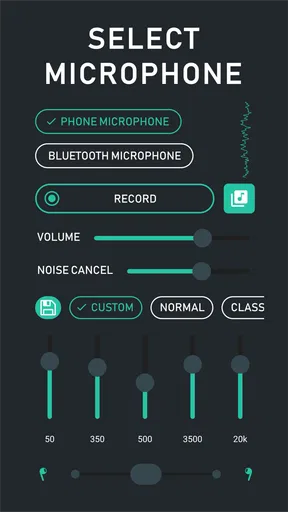
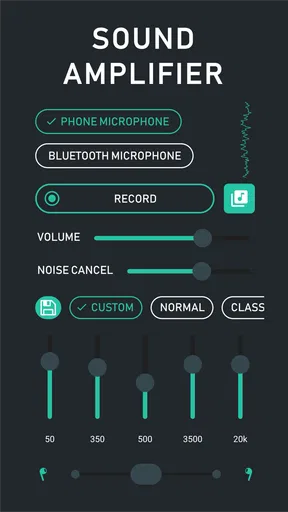
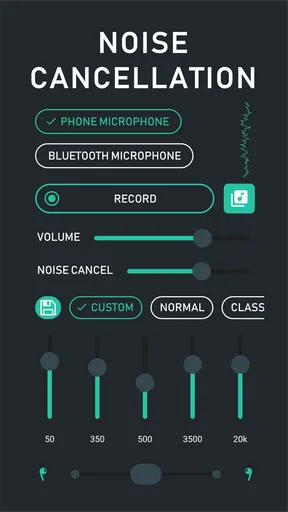
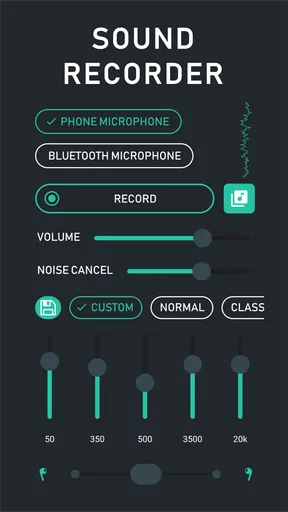
 Analysis by AppCompare
I see Super Hearing Amplifier as a phone-based listening aid for people who want to experiment with sound, rather than a substitute for dedicated hearing equipment. Its appeal is straightforward: it uses a device you may already carry to make nearby audio easier to hear through headphones. That can be handy in a few everyday situations, but the result depends on your phone, listening setup and surroundings. I’d approach it as a practical tool to try, not as a guaranteed fix for hearing difficulty.
A quick way to try phone-based amplification
As a medical app developed by Cards, it has a focused purpose: using a phone to amplify sound for listening. The app is free to install, rated for Everyone and currently at version 2.1.0. Its audience is broad, but that does not mean every listener or situation will suit it equally well. People comparing options can also see that it has a 4.0 average from around 2.3K ratings, with over 100K installs.
Getting started should feel familiar if you have used any basic audio utility. The useful first step is not to turn everything up immediately, but to choose a quiet place, connect the headphones you expect to use, and test the sound at a comfortable level. That gives you a baseline before traffic, conversation or other background noise complicates what you hear.
The app is free, though it includes optional in-app purchases ranging from $0.99 to $99.99 per item. I would try the basic experience before spending anything, then decide whether the app’s controls and performance are useful enough to justify an optional purchase. The age rating is Everyone, but anyone relying on amplification for an important conversation should still check that the setup works reliably before they need it.
What makes amplification useful—and what it cannot do
The central benefit is convenience: a phone microphone can pick up nearby sound, and headphones can deliver an amplified version to your ears. In a calm room, that may help bring a quiet speaker or subtle environmental sound forward. It can also be useful for curiosity, such as paying closer attention to birdsong or the small sounds around a garden. The experience is personal, so I would judge it by whether speech becomes easier to follow without making other sounds uncomfortable.
Amplification is not the same as selectively making one voice clear. When a room is busy, the microphone may capture background noise along with the person you want to hear. Noise reduction and sound controls can help shape the result, but they should not be treated as a promise that every cafe or crowded room will become easy to understand. A quieter seat, a shorter distance from the speaker and a modest volume are often more useful than simply increasing amplification.
That distinction matters if you are considering it for hearing support. The app may offer supplementary help, but it is not a replacement for hearing aids or professional advice. If you routinely struggle to understand speech, or need dependable assistance in work, healthcare or safety situations, a properly fitted hearing device is the more appropriate choice. I would not rely on a phone app as the only aid in a situation where missing a word could have serious consequences.
Worth Reading Before You Choose

EA SPORTS FC Mobile 26 Is a Bigger Football Game, but It Takes Time

Flipboard Shows What News Apps Must Do Beyond the Feed

Switching to Android Auto Means Rethinking Your Driving Routine

Google Calendar Makes a Crowded Week Easier to Manage

Ludo King Makes the Most of the Minutes Between Plans

Baby Panda World Brings Quick Play to Modern Phones, but Its Game Library Feels Busy
Make the setup work for your surroundings
A small adjustment in how you use the microphone can make a bigger difference than chasing a stronger setting. If you are seated across from one person, place the phone on the table nearer to them, with its microphone unobstructed, rather than keeping it in a pocket or under a notebook. This can improve the balance between the speaker and the room without requiring an uncomfortable volume. Try the arrangement in a quiet setting first, because handling noise and nearby sounds can also be picked up.
Headphones are part of the listening chain, not an incidental accessory. Wired headphones avoid the need to pair a wireless device; Bluetooth earbuds can be more convenient when moving around, but the fit and their own audio behavior affect what you hear. The original experience describes a wireless connection as straightforward, yet I would test your particular headset before relying on it. Keep the volume low while checking, then raise it only enough to make speech comfortable.
For a realistic everyday example, imagine trying to hear a family member while preparing dinner. Rather than turning the app up over the clatter of pans, I would first pause the noisy task, place the phone closer to the speaker and see whether a lower amplification level makes their voice easier to follow. If the room remains loud, moving to a quieter corner is likely to help more than pushing the output higher. That is a practical trade-off: the app can make a listening setup more flexible, but it cannot remove the need to manage the room.
How it compares with familiar alternatives
Compared with simply raising the phone’s media volume, a microphone-based amplifier is aimed at live sound coming through the device, rather than making a recording or video louder. That makes it a different kind of tool from a standard volume control. Compared with asking someone to repeat themselves or moving closer, it adds a phone and headphones to the interaction, which may be helpful in some settings but awkward in others. For a one-to-one conversation, changing seats or asking the speaker to face you may be simpler and more natural.
Dedicated hearing aids are the stronger alternative for consistent, ongoing support because they are made for that purpose and can be selected to match a person’s needs. This app is better understood as an accessible experiment or occasional aid, particularly for someone who wants to test whether amplification helps in a low-stakes situation. For passive listening to the environment, it may also be less convenient than simply paying attention without headphones. The right option depends on whether you need occasional amplification, hands-free convenience or dependable hearing assistance throughout the day.
Who is likely to get the most from it?
I can see it suiting someone who wants to explore phone-based amplification, listens in calm surroundings, or occasionally needs a little help hearing a nearby speaker. It may also appeal to people who enjoy noticing quiet environmental sounds, provided they use it thoughtfully and remain aware of what is happening around them. The strongest use case is a controlled one: a quiet room, a nearby sound source and a headset that feels comfortable.
I would skip it as a primary solution if you need reliable speech understanding in changing environments, cannot comfortably use headphones, or expect the app to isolate a voice automatically in a noisy crowd. It is also not ideal when you need to keep both ears open to your surroundings, such as while crossing roads or cycling. In those cases, ordinary conversation adjustments—or purpose-built hearing support where appropriate—are safer and more dependable choices.
Getting Started with Super Hearing Amplifier
First things first, getting this app up and running is a breeze. Available for both Android and iOS, the download and installation process is straightforward. Once you open it, the interface is super intuitive, which is a big plus. No one wants to fumble around with complicated settings when they’re eager to try something new, right?
The app greets you with a simple, clean layout that’s easy on the eyes. It’s designed to get you started with just a few taps. Before you know it, you’re diving into a world where sounds you never noticed before come alive.
Features That Make a Difference
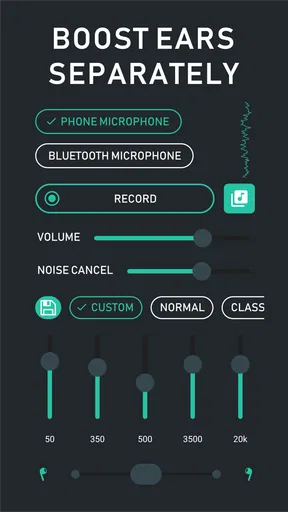
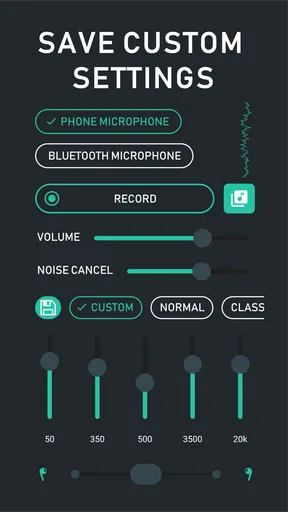
Let’s talk features because that’s where Super Hearing Amplifier really shines. The app comes equipped with a range of sound filters and amplifiers that allow you to customize your listening experience. Whether you’re in a bustling cafe or a quiet park, you can tweak the settings to suit your environment. This level of personalization is something I didn’t realize I needed until I had it.
Another neat feature is the noise reduction capability. It’s like having your personal sound engineer, cutting out the unnecessary background noise so you can focus on what you really want to hear. Imagine being in a crowded room but being able to clearly hear the person you’re talking to—it’s like magic!
How Does It Work?
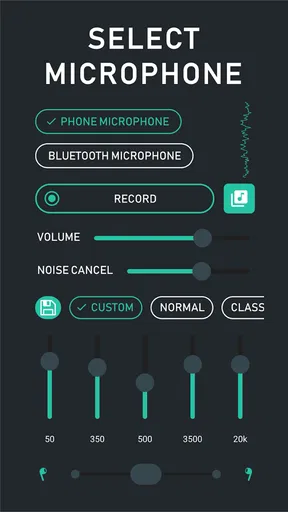
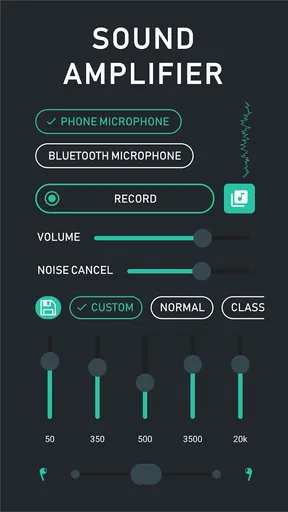
Now, you might wonder, “How does it actually work?” Well, the app uses your phone’s microphone to capture sound, amplifies it, and then delivers it to your headphones or earbuds. What’s cool is that you can pair it with any Bluetooth headset. I tried it with my wireless earbuds, and the connection was seamless. No lag, no fuss.
The real-time sound processing is pretty impressive. It adjusts swiftly to changes in the environment, ensuring that you always have the best listening experience possible. Plus, the battery usage is quite efficient, so you won’t find yourself scrambling for a charger halfway through your day.
Practical Uses and Personal Experience
On a personal note, I found this app incredibly useful during my evening walks. Being able to hear the rustle of leaves and distant conversations made me feel more connected to my surroundings. It’s not just about amplification; it’s about enhancing the overall soundscape of your daily life.
For those who are a bit hard of hearing, Super Hearing Amplifier can be a valuable tool. It’s not a replacement for hearing aids, but it certainly offers supplementary support. I’d recommend trying it out in different scenarios to see how it best fits your needs.
Final Thoughts
In conclusion, if you’re looking for a way to elevate your auditory senses, this app might just be your new best friend. It’s simple to use, packed with features, and truly enhances the way you experience sound. Whether you’re using it for practical reasons or just out of curiosity, it’s definitely worth a try.
So, if you’re ready to explore the sounds around you with a new level of clarity, head over to your app store and give it a download. You might be surprised at what you’ve been missing all along!
Pros
- Clear audio amplification in noisy environments.
- Adjustable sound settings for customization.
- User-friendly interface for easy navigation.
- Battery-friendly operation for longer use.
- Compatible with most headphones and earbuds.
Cons
- Requires headphones for functionality.
- May experience occasional audio lag.
- Limited features in free version.
- Not a substitute for medical hearing aids.
- Some users report background noise issues.
FAQs for Super Hearing Amplifier
What is Super Hearing Amplifier and how does it work?
Super Hearing Amplifier is an app designed to enhance your hearing by amplifying sound through your device's microphone. It captures ambient sounds and delivers them directly to your headphones, allowing you to hear more clearly in various environments. The app is particularly useful for those with mild hearing difficulties or in situations where you need to focus on specific sounds.
Is Super Hearing Amplifier compatible with all headphones?
The app is generally compatible with most wired and wireless headphones. However, for best performance, it's recommended to use high-quality headphones that can accurately reproduce the amplified sounds. Some users have reported connectivity issues with older Bluetooth models, so newer headphones are advisable for optimal experience.
Does Super Hearing Amplifier require an internet connection to function?
No, Super Hearing Amplifier does not require an internet connection to work. The app processes sounds locally on your device, meaning you can use it anywhere without needing Wi-Fi or mobile data. This is particularly beneficial in areas with poor connectivity or when you're on the go.
Can Super Hearing Amplifier replace hearing aids?
While Super Hearing Amplifier can enhance sound for improved hearing, it is not a substitute for professional hearing aids. The app is best suited for those with minor hearing challenges or for temporary use. For significant hearing loss, consulting an audiologist for proper hearing aids is recommended.
Is Super Hearing Amplifier safe to use for extended periods?
Yes, the app is safe for extended use, provided that you maintain a reasonable volume level. Listening to amplified sounds at high volumes can lead to hearing damage over time. It's crucial to adjust the volume to a comfortable level and take regular breaks to prevent ear fatigue.


